
Pak Game Pakistan – Understanding the App Step by Step
Mobile gaming has become a familiar part of digital entertainment in Pakistan. People use smartphones to explore casual games, puzzles, arcade challenges, card games, and many other forms of interactive entertainment. As interest in mobile applications grows, searches for Pak Game have also become common among people looking for information about gaming apps, account access, installation, and basic navigation.
However, understanding an app involves more than simply downloading it and opening the home screen. Users should know how to identify the correct application, review its features, understand its rules, protect personal information, and make informed decisions before using any service.
1. Understanding What Pak Game Means
The phrase Pak Game can refer to different online gaming websites, mobile applications, or gaming-related search results. This is an important distinction because a familiar name does not automatically prove that two services have the same owner, features, or operating policies.
A user searching for pak game Pakistan might encounter several types of results, including:
- Android applications available through app stores.
- Websites that provide information about mobile games.
- Online gaming platforms with account-based access.
- APK download pages.
- Independent guides covering installation and account security.
Each result should be evaluated separately. Before choosing an application, look for its developer name, official description, privacy policy, age rating, and available support information.
For example, a Google Play listing named PAK Game identifies Novi Enterprises as its developer and describes an entertainment app containing several types of games. Its listing states that its rewards are virtual points without cash value and that it does not offer real-money betting, deposits, withdrawals, or cash prizes. This is a detail about that particular listing, not proof that every product using the Pak Game name works in the same way.
The first step, therefore, is to identify the exact application you intend to use.
2. Step One: Identify the Correct Application
Before downloading anything, check the identity of the app. Search results can include websites and applications with very similar names, so choosing the first available result may not be the safest approach.
Start by examining these details:
Developer or Publisher Name
Every legitimate app-store listing should identify its developer or publisher. Read the name carefully and check whether the developer provides a consistent website or support channel.
A recognizable application name is not enough to establish authenticity. The developer information should match the source from which you obtained the app.
App Description
Read the description before installation. It should explain what the application does, what types of games it contains, and whether it requires an account.
Be cautious when a description makes unrealistic promises about guaranteed rewards, effortless income, or certain winning outcomes.
Privacy Policy
A privacy policy should explain what information the application collects and how that information is handled. Review whether the app requests personal details, device permissions, or other information that appears unnecessary for its stated purpose.
User Reviews and Ratings
Reviews can help identify common problems, but they should not be treated as absolute proof of safety. Look for detailed feedback about app performance, customer support, account access, and unexpected charges.
A large number of positive ratings does not independently verify a developer’s identity.
3. Step Two: Check Your Device Compatibility
Once you have identified the intended application, check whether your smartphone supports it.
Most mobile gaming applications are designed for particular operating systems and device requirements. An Android APK, for example, is an installation package intended for Android devices. It cannot be installed directly on an iPhone or iPad.
Before proceeding, consider the following points:
- Check the minimum Android or iOS version.
- Confirm that enough storage space is available.
- Make sure your operating system is updated.
- Use a stable internet connection when required.
- Check whether the application supports your device model.
- Avoid downloading files that claim to bypass normal compatibility requirements.
Older smartphones may experience slower loading, interruptions, or performance problems when running applications that require more memory or processing power.
If an app is not compatible with your device, do not attempt to solve the problem by installing an unknown modified version. A compatibility warning may be protecting your device from an unsuitable installation.
4. Step Three: Download the App Carefully
Finding a download button is easy. Finding a trustworthy download source requires more attention.
When searching for pak game download information, users may encounter official app-store listings, developer websites, third-party APK pages, and unrelated promotional websites.
Use the following approach before downloading:
- Identify the developer associated with the exact app.
- Check whether the developer provides an official download source.
- Prefer a reputable app store whenever the application is available there.
- Read the app’s permissions and privacy information.
- Avoid shortened links and unexpected file-sharing links.
- Do not install files sent by unknown people through messaging groups.
- Check the file and developer details before opening an installation package.
Understanding APK Downloads
The term pak game APK generally refers to an Android installation file associated with an app using that name. An APK is not automatically safe simply because its filename contains a familiar brand.
Third-party APK files may be outdated, modified, or distributed without the developer’s permission. Some can contain unwanted software or request excessive permissions.
If you are considering an APK, verify its source with the developer through a channel you can independently confirm. Do not disable security protections just because a download page tells you to do so.
For Android users, Google Play Protect can help identify potentially harmful applications. Keeping device security features enabled is a sensible precaution.
5. Step Four: Install the Application
After obtaining the application from a source you have verified, follow the installation instructions for your device.
For an app downloaded through Google Play, the usual process is straightforward:
- Open the app’s Google Play listing.
- Review the developer and application details.
- Tap the Install option.
- Wait for the installation to finish.
- Open the application from your device.
- Review any permission requests before accepting them.
If you are using an APK, Android may display additional security warnings. Treat these warnings seriously. Only continue when you have independently verified the file and understand the risks.
Do not grant access to contacts, SMS messages, accessibility services, or other sensitive features unless there is a clear and legitimate reason. A basic gaming application should not need unrestricted access to every part of your phone.
Once installation is complete, take a moment to check whether the application opens normally and whether its displayed identity matches the app you intended to install.
6. Step Five: Explore the Home Screen
The home screen is usually the first major area users see after opening a mobile gaming application.
Although layouts differ between developers, many gaming apps use a central screen to organize available games and important account options.
Common interface elements may include:
Game Categories
Some apps group games into categories such as arcade, puzzle, cards, sports, or casual entertainment. These categories make it easier to locate a particular type of game.
Search Function
A search option can help users find a game without browsing every category.
Recently Played
Some applications display games that a user has opened before. This can make it easier to return to a familiar activity.
Settings
Settings may contain options for sound, notifications, language, display preferences, and other application controls.
Account Section
If the app supports accounts, this area may contain profile details, security settings, and sign-in options.
Remember that these are common examples of mobile app design, not a confirmed list of features available in every Pak Game application. Always rely on the interface and documentation of the exact app you have installed.
7. Step Six: Understand Game Categories Before Playing
A gaming application may contain several different game formats. Understanding their basic rules helps users choose activities that match their interests.
Casual Games
Casual games are generally designed around simple controls and short sessions. They may include quick challenges, straightforward objectives, and accessible gameplay.
Puzzle Games
Puzzle games involve solving problems, recognizing patterns, arranging objects, or completing logical challenges. They can provide a relaxed experience while encouraging concentration.
Arcade Games
Arcade games often focus on timing, movement, reaction speed, and score improvement. Their short rounds can make them suitable for brief entertainment sessions.
Card Games
Digital card games may include familiar formats and variations. Rules can differ significantly between applications, so read the instructions before starting.
Simulation Games
Simulation games recreate simplified activities or systems. Some use fictional points or scores to represent progress rather than real-world money.
Do not assume that two games with similar names have identical rules. Review the instructions, scoring system, and any participation conditions displayed within the application.
8. Step Seven: Create an Account Only When Necessary
Some mobile games allow visitors to play without registering, while others require an account for saving progress or accessing additional functions.
If the particular Pak Game application asks you to create an account, read its registration instructions first.
A typical registration process may involve:
- Opening the registration or sign-up section.
- Providing the information requested by the application.
- Creating a strong and unique password.
- Completing any legitimate verification process.
- Reviewing the applicable terms and privacy policy.
- Confirming that the account details are correct.
Only provide information that is genuinely necessary. Avoid registering through a website or form whose ownership you cannot verify.
Creating a Strong Password
Your password should be difficult for other people to guess. Avoid using your birthday, phone number, common words, or predictable number combinations.
A useful password should:
- Be unique to the account.
- Contain a suitable mix of characters.
- Avoid personal information.
- Never be shared with other users.
- Be stored in a secure password manager when possible.
Never send your password or verification code to someone claiming to be a support representative.
9. Step Eight: Understand the Login Process
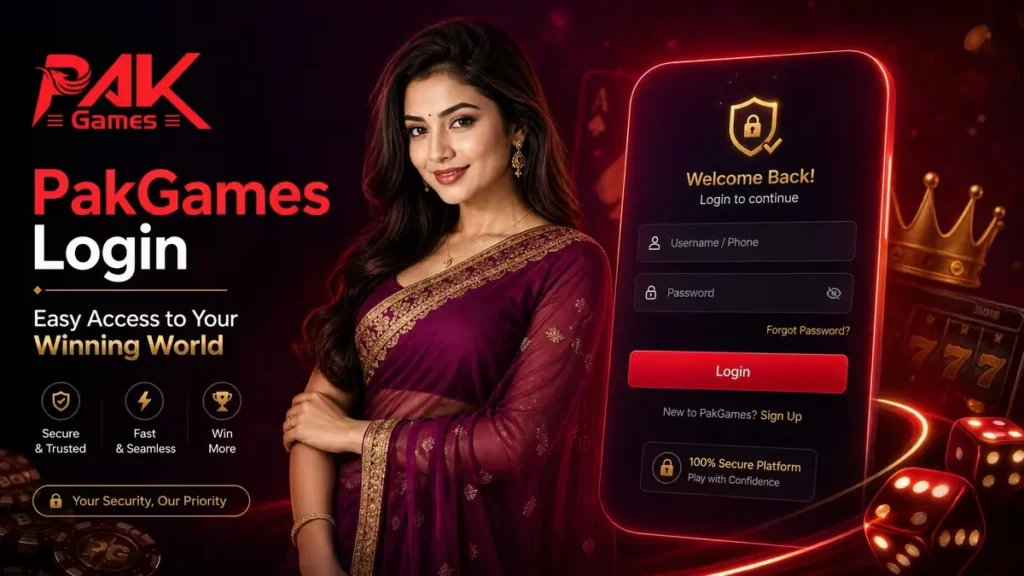
The pak game login process depends on the specific application or website. Some services use email addresses, others use mobile numbers, and some support additional authentication methods.
If you already have an account, open the verified application and locate its sign-in section.
Enter your registered credentials carefully. Check the spelling of your email address or phone number and make sure the password is correct.
If the application offers a password recovery option, use the recovery process provided within its verified interface.
Common Login Problems
Users may sometimes experience:
- Incorrect password messages.
- Delayed verification codes.
- Internet connection interruptions.
- Outdated application versions.
- Temporary server problems.
- Account verification difficulties.
Try basic troubleshooting before making repeated login attempts. Check your internet connection, confirm that the application is updated, and review whether your device has the correct date and time settings.
If the issue continues, contact the developer through a verified support channel. Do not trust random social media accounts offering to unlock an account in exchange for your password or verification code.
10. Step Nine: Review the Settings and Privacy Options
An application’s settings section is worth exploring before regular use.
It may contain several controls that affect the user experience.
Notification Preferences
Notifications can provide updates, reminders, or information about application activity. Disable unnecessary notifications if they become distracting.
Sound and Display
Some apps allow users to adjust background music, sound effects, or display preferences. These options can make the experience more comfortable.
Language Preferences
If multiple languages are supported, select the one you understand best. Clear instructions are important when reviewing game rules and account conditions.
Privacy Controls
Review any available options related to data sharing, personalized content, and account visibility.
Account Security
Look for available security features such as password changes, device management, or additional verification methods.
The availability of these controls depends on the particular application. Do not assume that every app provides every security option.
11. Step Ten: Understand Points, Rewards, and Promotional Messages
Some gaming applications use points, badges, achievements, or other virtual rewards to show progress.
These systems can make games more engaging, but users should understand what each reward actually represents.
A virtual point is not automatically equivalent to cash. A promotional message is not a guarantee of receiving a prize. Any reward system should have clear rules explaining eligibility, limitations, and conditions.
Before participating in a promotion, check:
- Whether the offer is provided by the verified developer.
- Whether there is an expiry date.
- Whether any conditions apply.
- Whether the reward has real-world value.
- Whether personal information is required.
- Whether participation involves a payment or financial risk.
Avoid websites that promise guaranteed income simply for downloading an application. A mobile game should not be treated as a dependable source of earnings.
12. Step Eleven: Know the Difference Between Entertainment and Financial Risk
Not every gaming application operates in the same way. Some provide free entertainment, while others may involve paid entries, betting, deposits, or other financial features.
This distinction is important when exploring Pak Game-related search results.
Before using an app, read its description and terms carefully. Determine whether it is an ordinary entertainment product or a service involving financial participation.
If an application includes gambling-style activities, users should understand that outcomes may be uncertain and money can be lost. No prediction method, strategy, or promotional claim can guarantee a positive result.
Users should also check the laws and age restrictions that apply in their location. Do not participate in activities that are prohibited where you live.
A responsible approach means treating entertainment as entertainment, setting personal limits, and never using money needed for essential expenses.
13. Step Twelve: Protect Your Personal Information
Account security is an important part of using any mobile application.
A user may spend considerable time choosing games and learning the interface, but poor security habits can put the entire account at risk.
Follow these practical recommendations:
- Use a unique password.
- Keep your phone’s operating system updated.
- Install applications only from trusted sources.
- Avoid clicking suspicious advertisements or messages.
- Do not share one-time verification codes.
- Review app permissions regularly.
- Avoid signing in on unfamiliar devices.
- Log out when using a shared phone.
- Contact the verified developer if you notice unusual activity.
Be particularly careful with messages that create urgency. A person claiming that your account will be blocked unless you immediately share a code or password may be attempting to steal your credentials.
Real account support should not require you to reveal your secret login information.
14. Step Thirteen: Solve Common Application Problems
Even properly installed applications can experience technical difficulties. Understanding basic troubleshooting can save time.
The App Does Not Open
Restart your device and check whether the application has an available update. If the problem continues, review the developer’s support information.
The App Runs Slowly
Close unnecessary background applications and make sure your device has enough available storage. A weak internet connection can also affect online features.
The Installation Fails
Check device compatibility and available storage. If you downloaded an APK, verify that it is intended for your Android version and comes from a trustworthy source.
The Game Freezes
Close the application and reopen it. Avoid repeatedly tapping buttons while the app is unresponsive, as this may cause unexpected actions.
You Cannot Access Your Account
Check your credentials and use the official recovery process. Never pay an unknown person to recover an account.
Notifications Are Not Working
Review the application’s notification settings and your phone’s system-level notification permissions.
If troubleshooting does not solve the issue, provide the developer with a clear description of the problem. Do not send passwords, payment credentials, or verification codes in a support message.
15. Step Fourteen: Build Healthy Mobile Gaming Habits
Mobile entertainment should fit comfortably into everyday life.
It is easy to spend more time on a game than originally planned, especially when an application includes repeated challenges, progress indicators, or frequent notifications.
A few simple habits can help maintain balance:
Set a time limit: Decide how long you want to play before opening the application.
Take regular breaks: Step away from the screen and give yourself time to rest.
Protect essential activities: Gaming should not interfere with education, employment, sleep, family responsibilities, or personal commitments.
Avoid chasing losses: If a game involves money and you lose, do not increase your spending to recover it.
Recognize warning signs: Feeling unable to stop, hiding gaming activity, or spending beyond your budget may indicate that your habits need attention.
Responsible use is not just about following application rules. It is also about making decisions that protect your time, finances, and well-being.
16. How to Evaluate a Pak Game App Before Using It
Before committing to any application, use a simple evaluation process. It helps separate useful information from promotional claims.
| Evaluation Area | What to Check |
|---|---|
| Developer | Is the publisher clearly identified? |
| Download source | Can the source be independently verified? |
| Privacy | Is there an understandable privacy policy? |
| Permissions | Are requested permissions reasonable? |
| Compatibility | Does the app support your device? |
| Game rules | Are instructions and conditions clearly explained? |
| Rewards | Is the value and eligibility of rewards transparent? |
| Support | Is there a verifiable support channel? |
| Security | Are account-protection options available? |
| Local rules | Is the service permitted in your location? |
If important information is missing, pause before installing the application or creating an account.
A trustworthy experience begins with transparent information. Attractive graphics, promotional banners, and claims of popularity cannot replace basic verification.
17. Mistakes New Users Should Avoid
Beginners sometimes make avoidable mistakes because they focus on accessing a game quickly instead of understanding how it works.
Here are several habits worth avoiding.
Downloading from the first search result: Search rankings do not guarantee that a file is genuine.
Ignoring the developer name: Similar application names may belong to completely different publishers.
Accepting every permission: Grant access only when it is necessary and understandable.
Using weak passwords: Predictable passwords can make accounts easier to compromise.
Believing guaranteed reward claims: Promotional language should never be treated as proof of financial results.
Ignoring the terms: Users should understand restrictions, eligibility requirements, and account policies before participating.
Sharing login details: No unknown person should receive your password or verification code.
Installing modified versions: Unofficial modifications can introduce security problems and may violate the developer’s terms.
Avoiding these mistakes can make the process of exploring mobile gaming more informed and secure.
18. Frequently Asked Questions
What is Pak Game Pakistan?
Pak Game Pakistan is a phrase people use when searching for gaming applications and services associated with Pakistan. It may refer to different products, so users should identify the exact developer and application before proceeding.

How can I understand the Pak Game app?
Start by checking its developer, description, privacy policy, and device requirements. Then explore the home screen, game categories, settings, and account options.
Is Pak Game available for Android?
Availability depends on the specific application. Some products using similar names may appear on Google Play, while others may be distributed through separate websites. Verify the exact listing before downloading.
Can I install a Pak Game APK on an iPhone?
No. APK files are designed for Android devices. iPhones use a different application distribution system.
Is registration always necessary?
No. Some mobile games allow users to play without creating an account, while others require registration for particular features. Check the requirements of the exact application.
What should I do if Pak Game login does not work?
Check your credentials, internet connection, and application version. If necessary, use the verified password recovery process or contact the developer through an independently confirmed support channel.
Are all Pak Game applications the same?
No. Similar names do not establish a shared developer, operator, or feature set. Each app should be checked individually.
Can mobile gaming provide guaranteed income?
No gaming application should be treated as a source of guaranteed income. Rewards may have restrictions, and games involving financial participation can result in losses.
Is it safe to download an APK from a random website?
No download source should be trusted merely because it displays a familiar application name. Unknown APK files may be modified, outdated, or harmful.
How can I protect my account?
Use a unique password, keep your device updated, avoid suspicious links, review permissions, and never share verification codes.
19. Final Thoughts
Understanding Pak Game step by step is about making informed decisions before and during app use. The process begins with identifying the exact application and its developer. From there, users can check compatibility, review download sources, install carefully, explore the interface, understand account requirements, and examine privacy settings.
New users should also pay attention to game rules, reward conditions, and the difference between ordinary entertainment and activities involving financial risk. These details are important because applications with similar names may have completely different purposes and policies.
The best approach is to avoid rushing. Verify information before downloading, protect personal credentials, and use only the features you understand. If an application makes unclear promises or asks for unnecessary permissions, take time to investigate before continuing.
With careful preparation and responsible habits, users can explore mobile gaming more confidently while keeping their devices, personal information, and everyday priorities protected.